Convert Windows Server Evaluation to Non-Evaluation Edition (Datacenter / Standard)
Licensing Notice
The product keys used in this guide are official Microsoft generic setup keys used only for edition conversion.
These keys do NOT activate Windows and do NOT grant a license.
A valid Windows Server license is still required for activation.
Steps to do
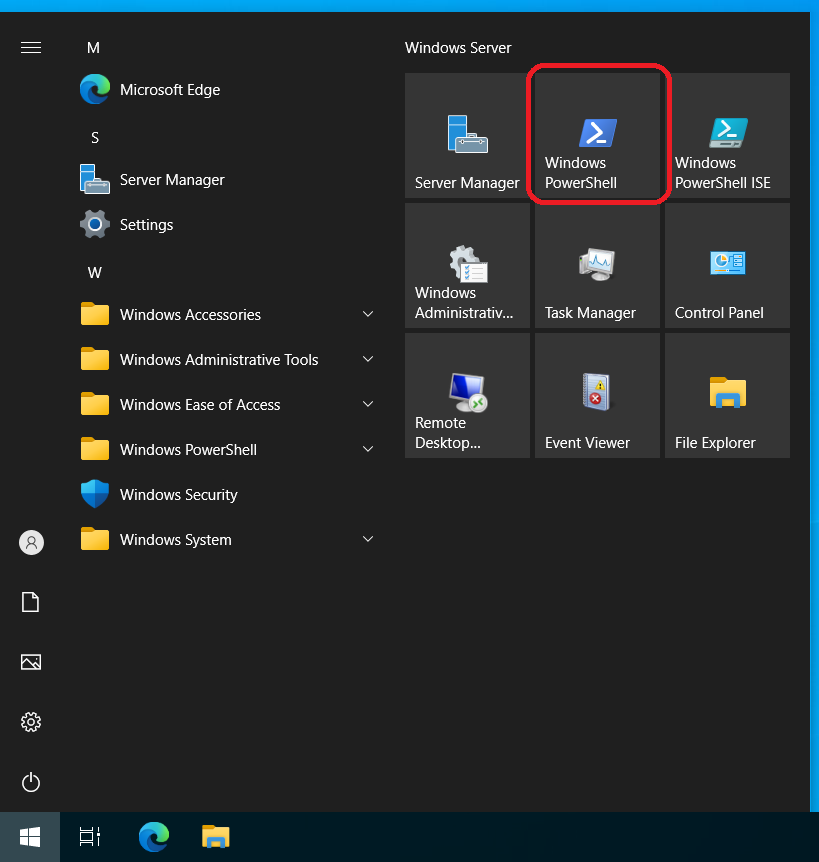
- Launch a PowerShell as an Administrator
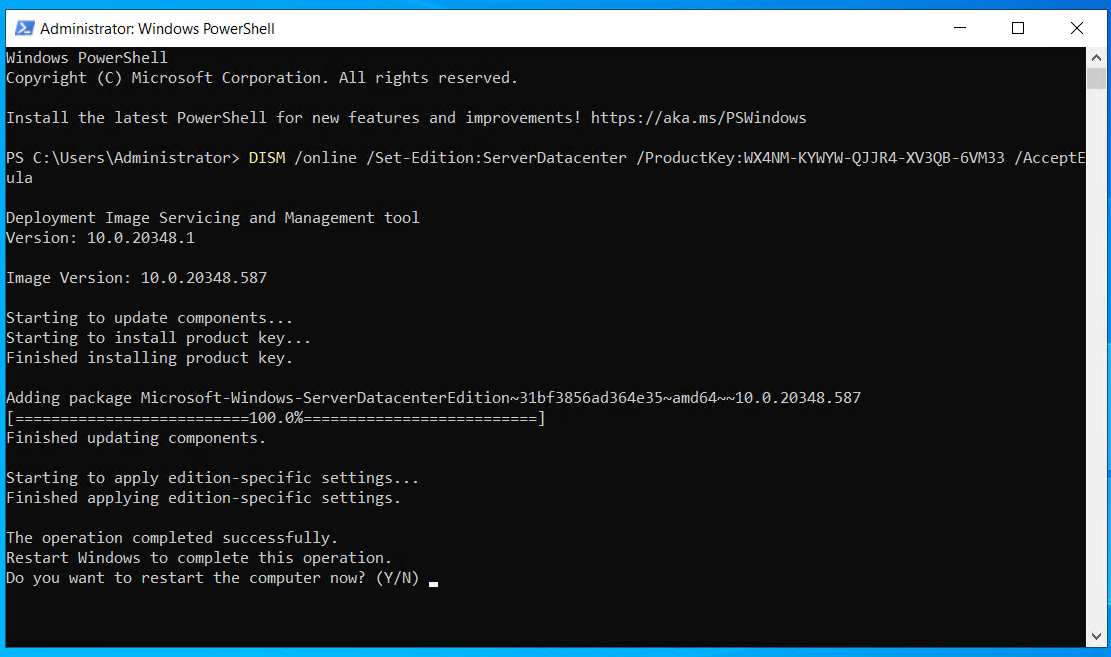
- Type DISM /online /Set-Edition:<TargetEdition> /ProductKey:<SetupKey> and press ENTER
Official Microsoft Setup Keys (for edition conversion only)
Windows 2012R2 Datacenter
bat
DISM /online /Set-Edition:ServerDatacenter /ProductKey:W3GGN-FT8W3-Y4M27-J84CP-Q3VJ9 /AcceptEulaWindows 2016 Datacenter
bat
DISM /online /Set-Edition:ServerDatacenter /ProductKey:CB7KF-BWN84-R7R2Y-793K2-8XDDG /AcceptEulaWindows 2019 Datacenter
bat
DISM /online /Set-Edition:ServerDatacenter /ProductKey:WMDGN-G9PQG-XVVXX-R3X43-63DFG /AcceptEulaWindows 2022 Datacenter
bat
DISM /online /Set-Edition:ServerDatacenter /ProductKey:WX4NM-KYWYW-QJJR4-XV3QB-6VM33 /AcceptEulaWindows 2022 Standard
bat
DISM /online /Set-Edition:ServerStandard /ProductKey:VDYBN-27WPP-V4HQT-9VMD4-VMK7H /AcceptEulaWindows 2025 Datacenter
bat
DISM /online /Set-Edition:ServerDatacenter /ProductKey:D764K-2NDRG-47T6Q-P8T8W-YP6DF /AcceptEulaLicensing Reminder
This process only changes the Windows Server edition.
It does NOT activate Windows and does NOT provide a license.
You must purchase a valid Windows Server license from Microsoft or an authorized reseller to activate the system.