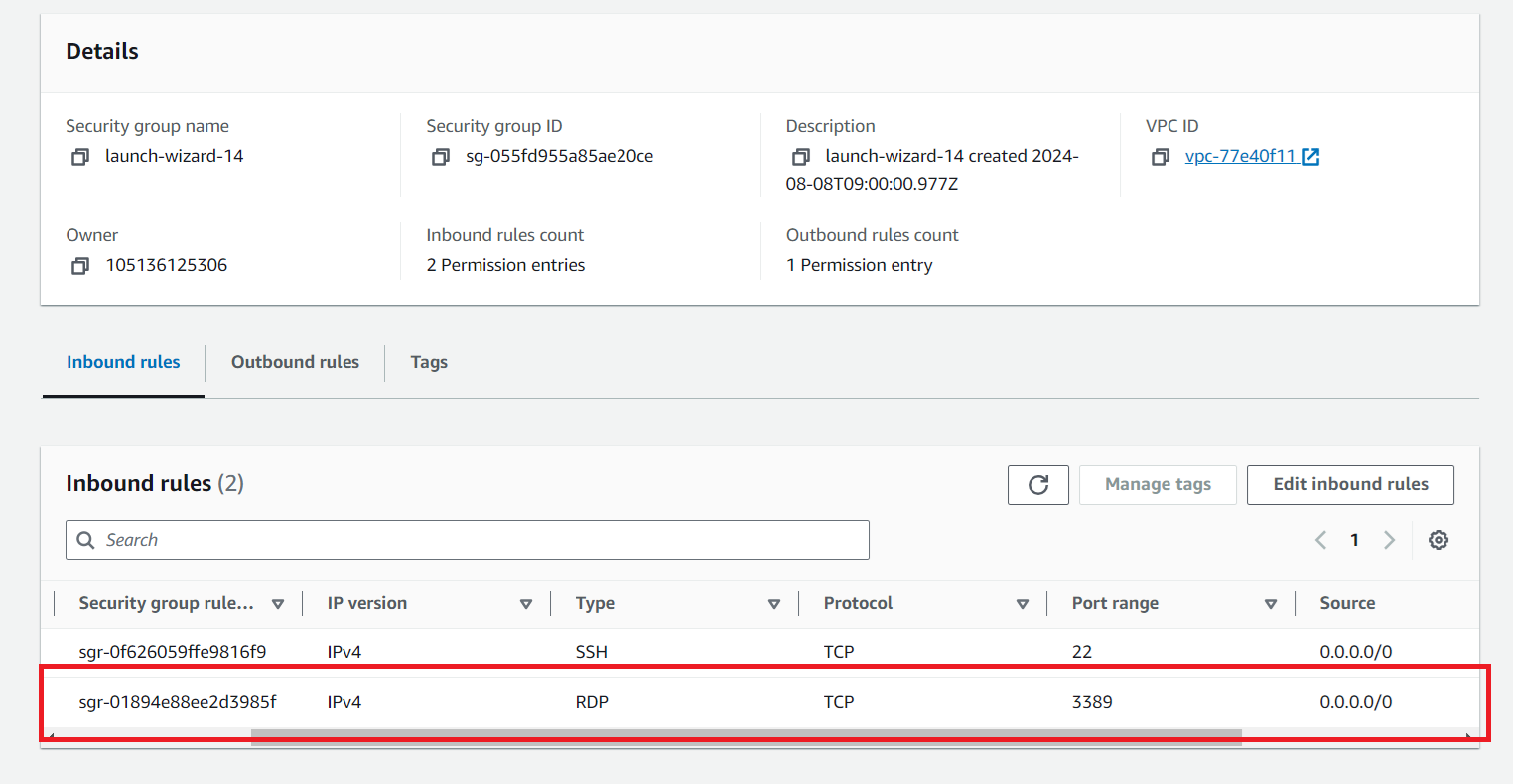
Open Firewall on AWS
Open Security Group
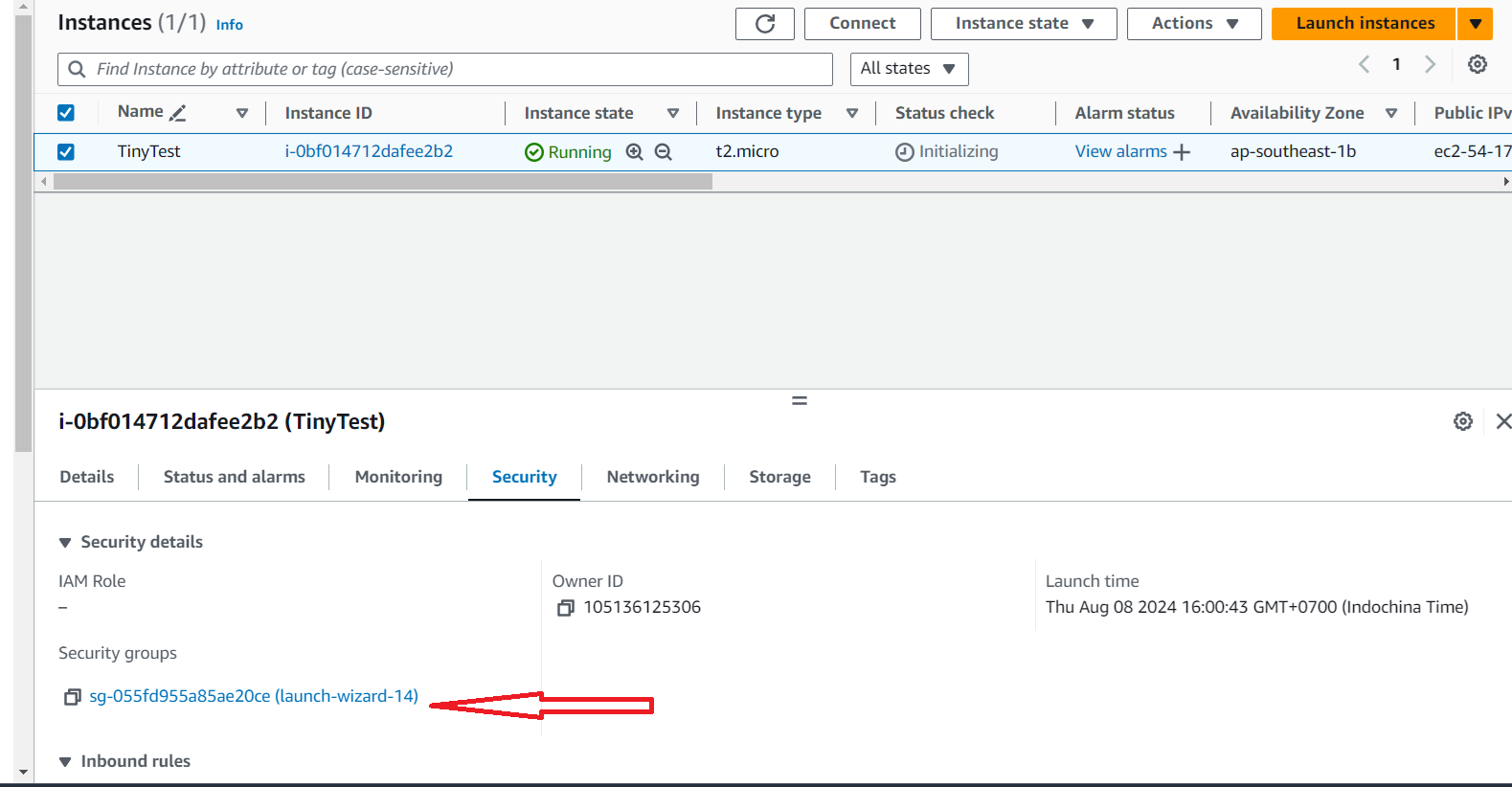
Select instance -> Security tab -> Click on security group
Open a port
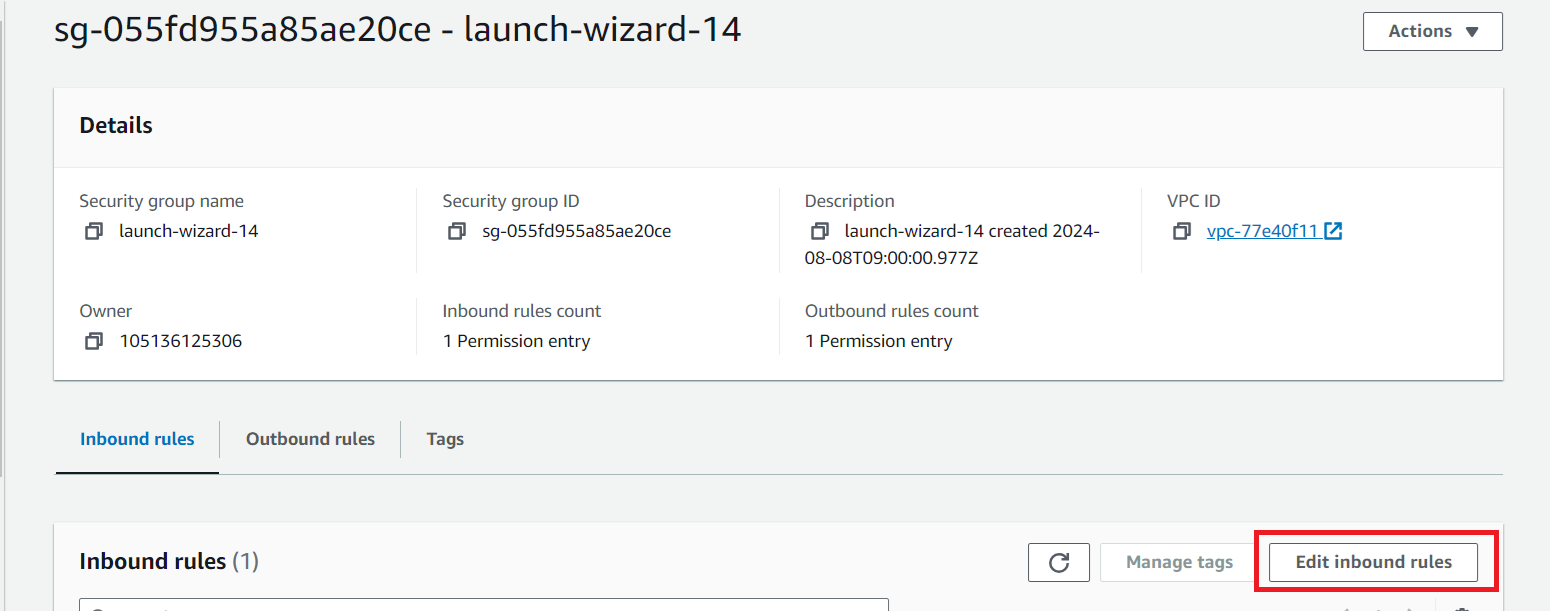
In security group click on Edit Inbound rules
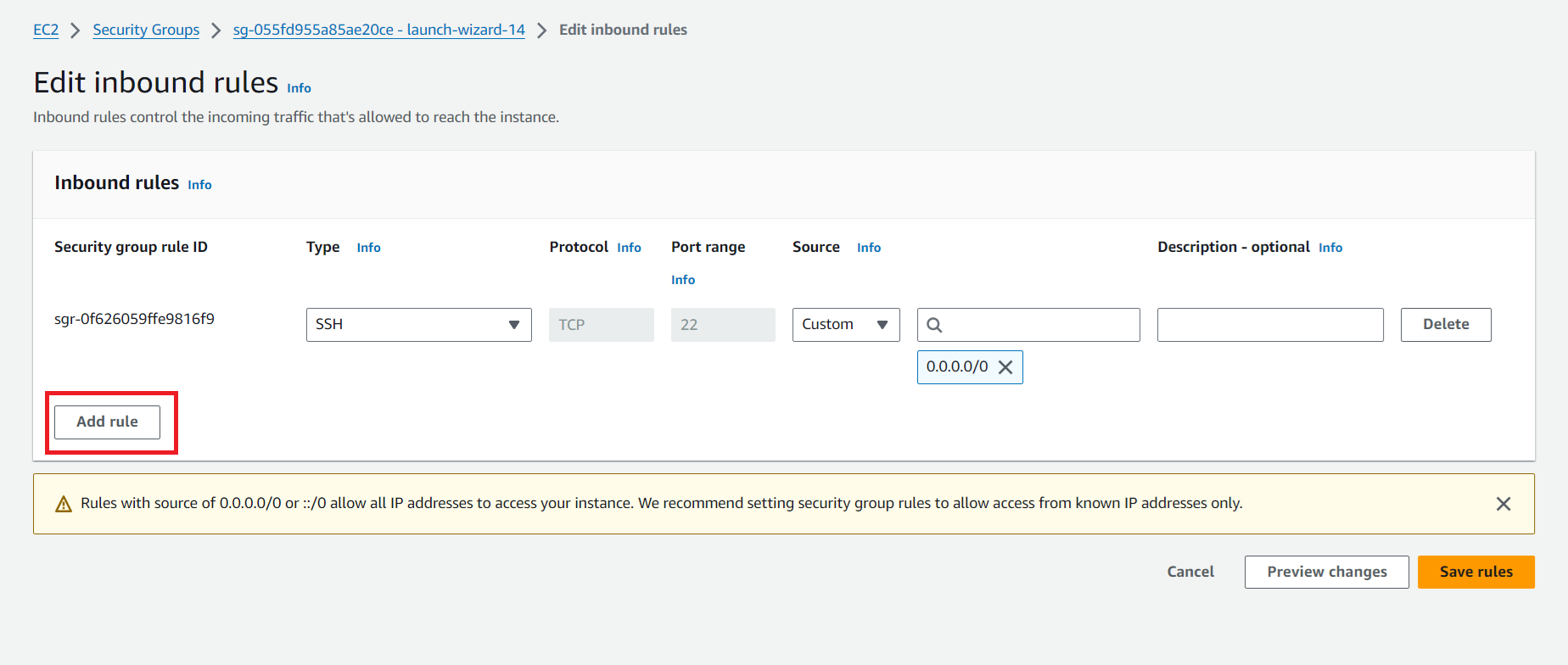
Then click Add rule
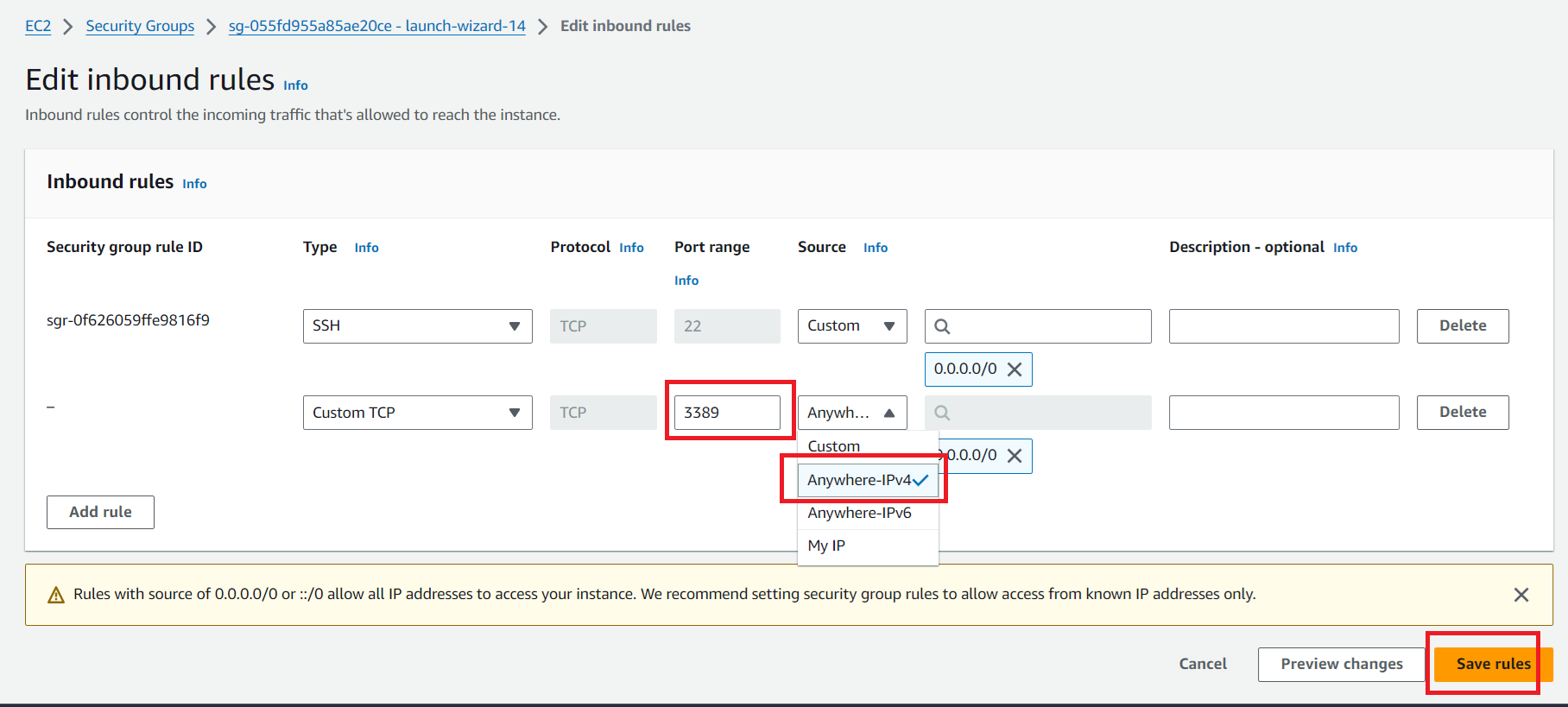
Fill infomation and save
Type: Custom TCP
Port: 3389 (or your selected port in tiny)
Source Anywhere IPv4
Verify that you see the added rule