Install Windows on Azure
Step 1 - Create Ubuntu VPS on Azure
Create new Virtual Machine
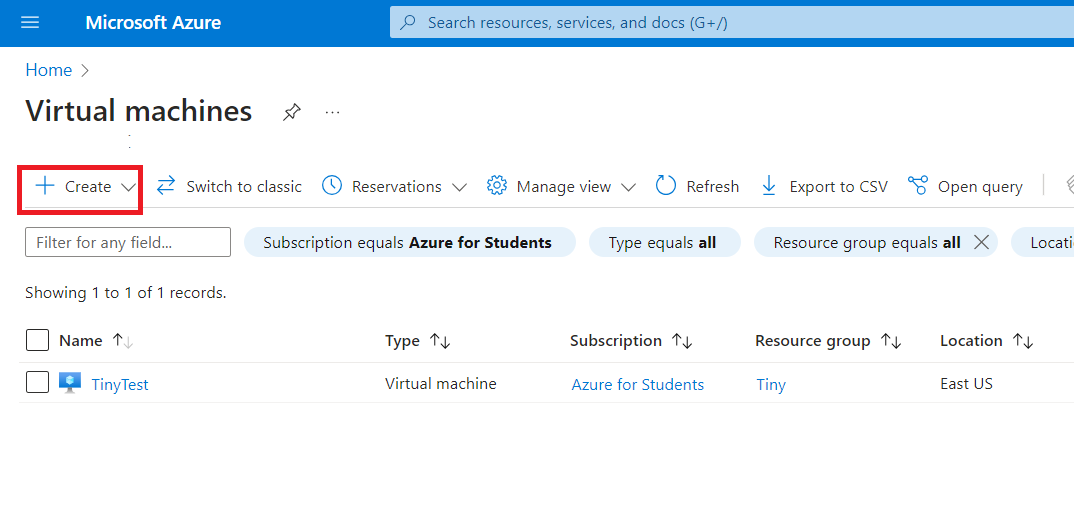
Login to Azure then go to Virtual machines and click Create button
Choose Location, Configration
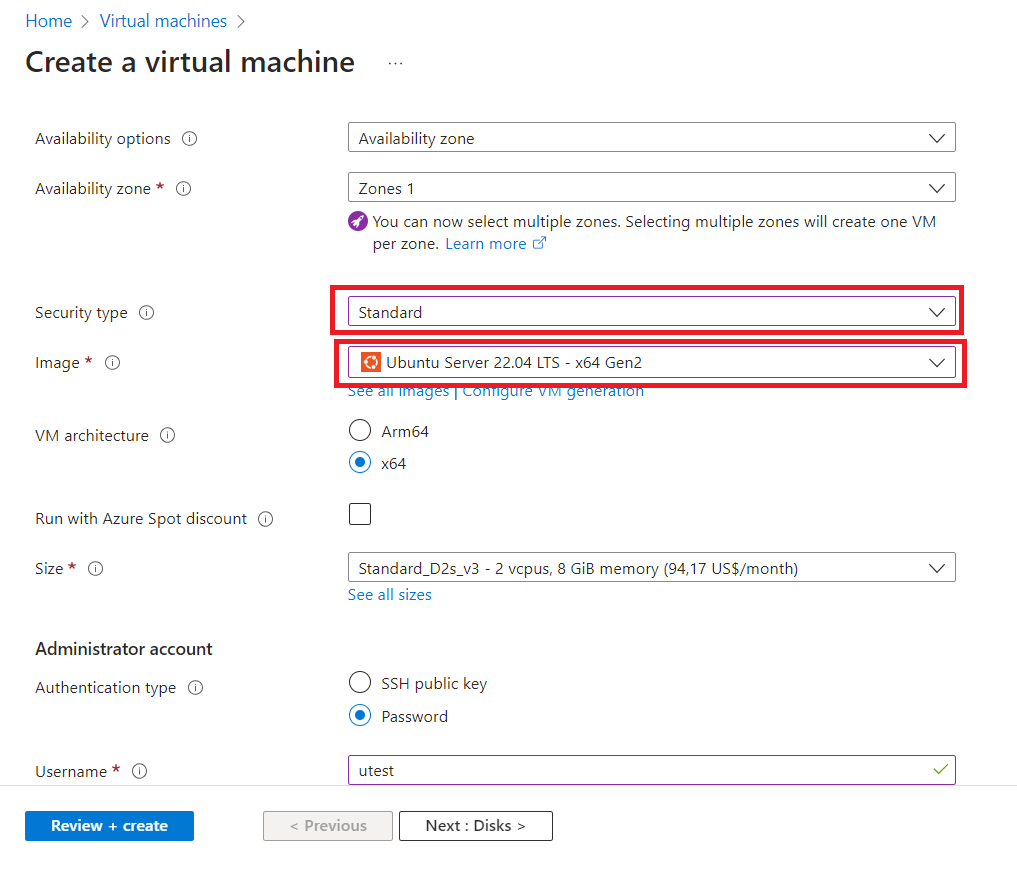
Choose location and server size for your needed. Make sure you select correct Security Type and Image:
- Security type: Standard
- Image: Ubuntu (any ubuntu version)
Step 2 - Connect to Ubuntu VPS
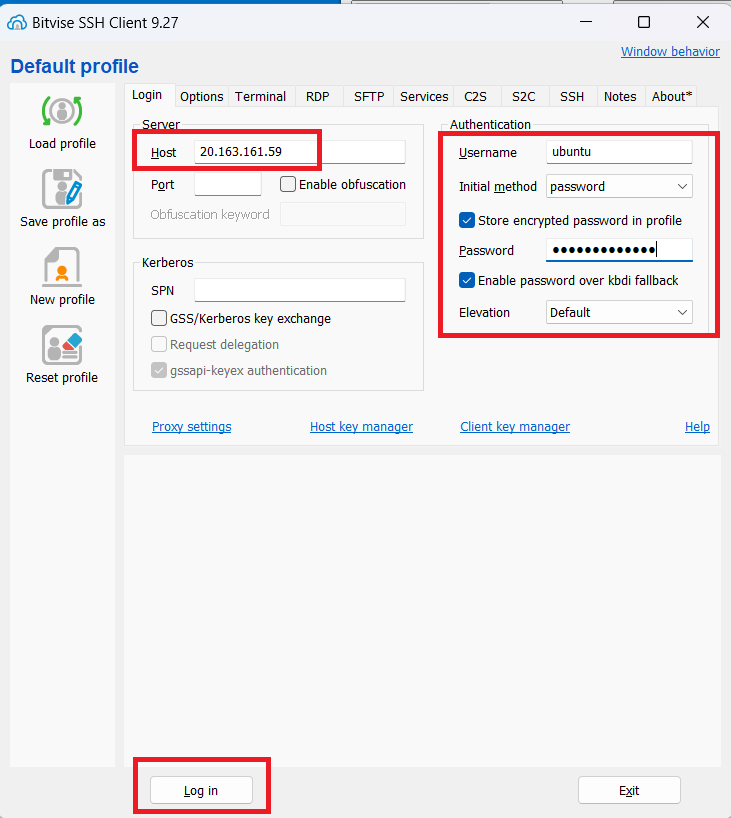
In Bitvise SSH Client just fill in details and click login
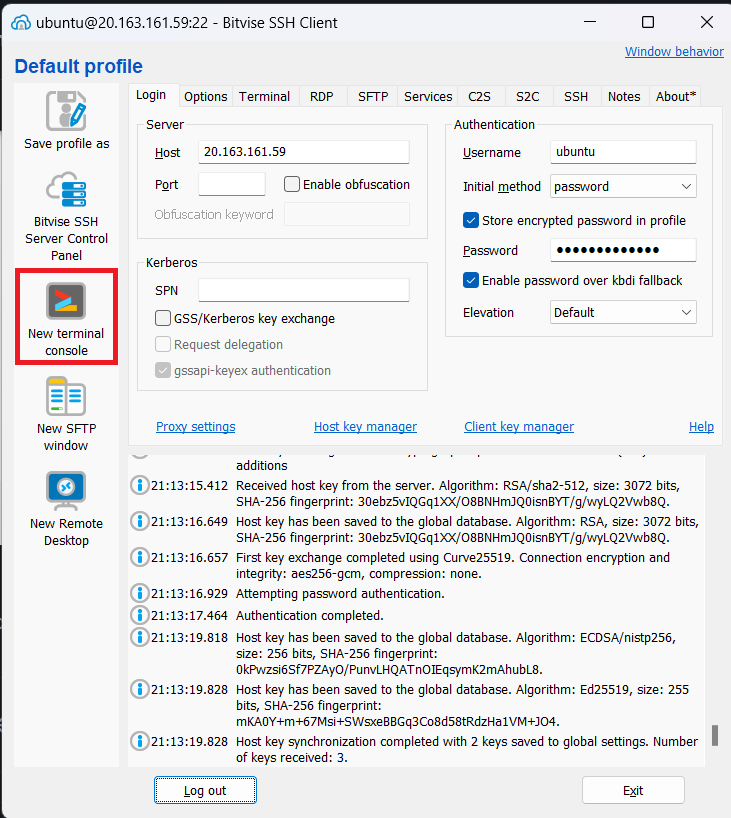
Then click New terminal console to open terminal
Step 3 - Run Install command
Copy command from TinyInstaller
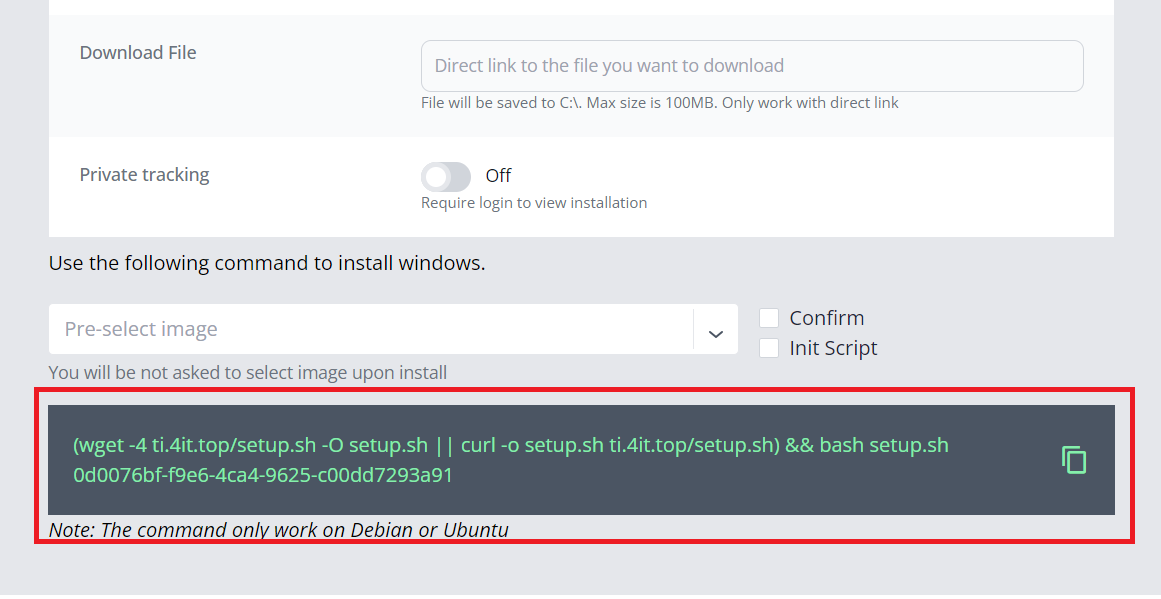
Then paste to Terminal Console we opened in previous step then press enter to run
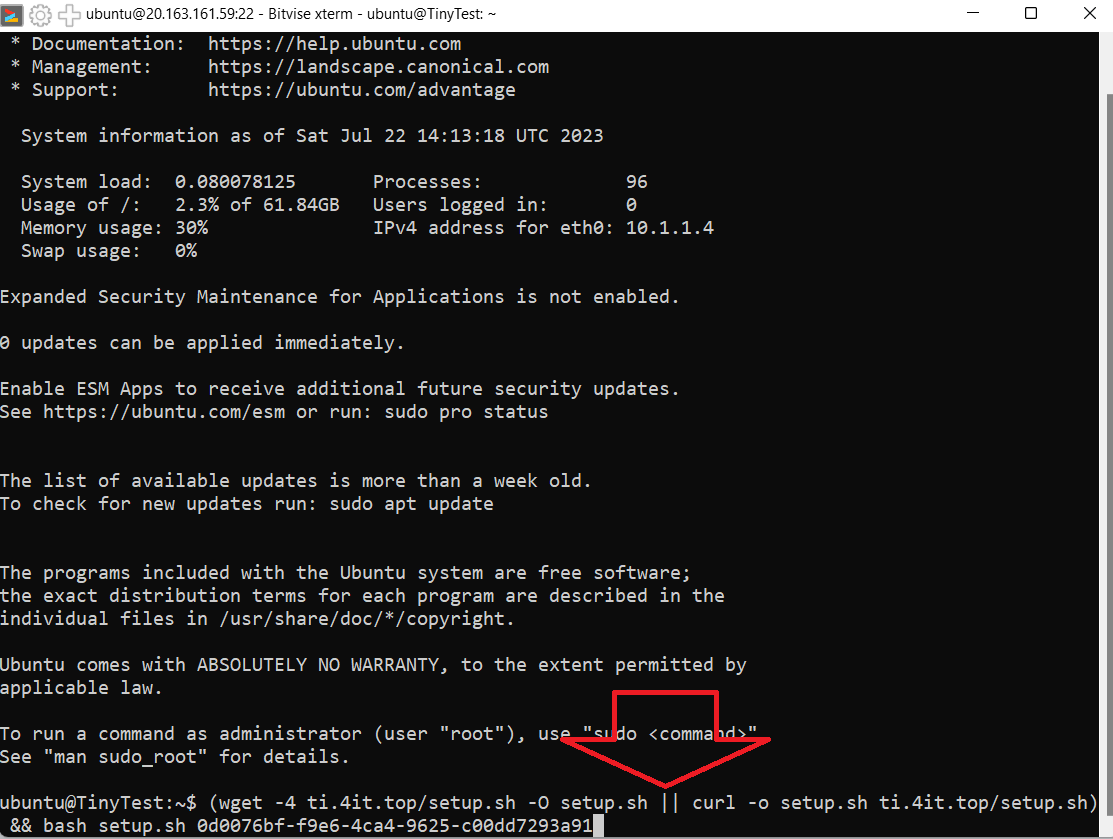
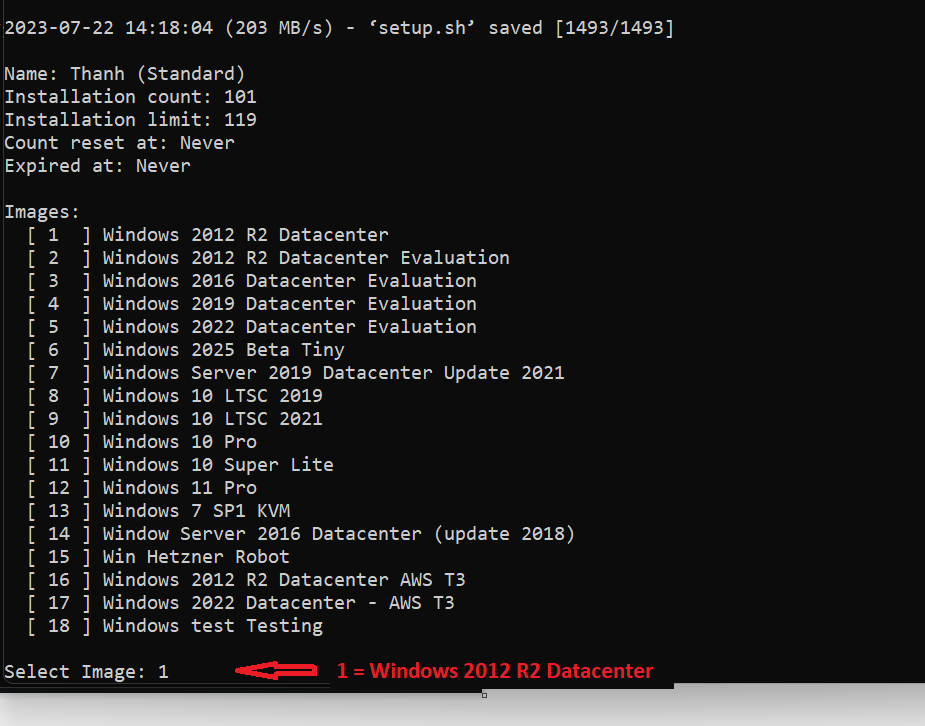
Choose image you want to install by choosing number from the list
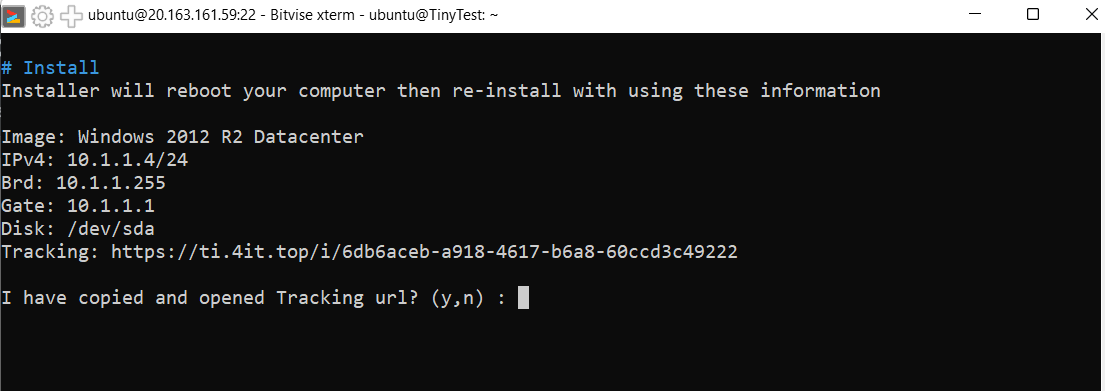
Answer y to confirm
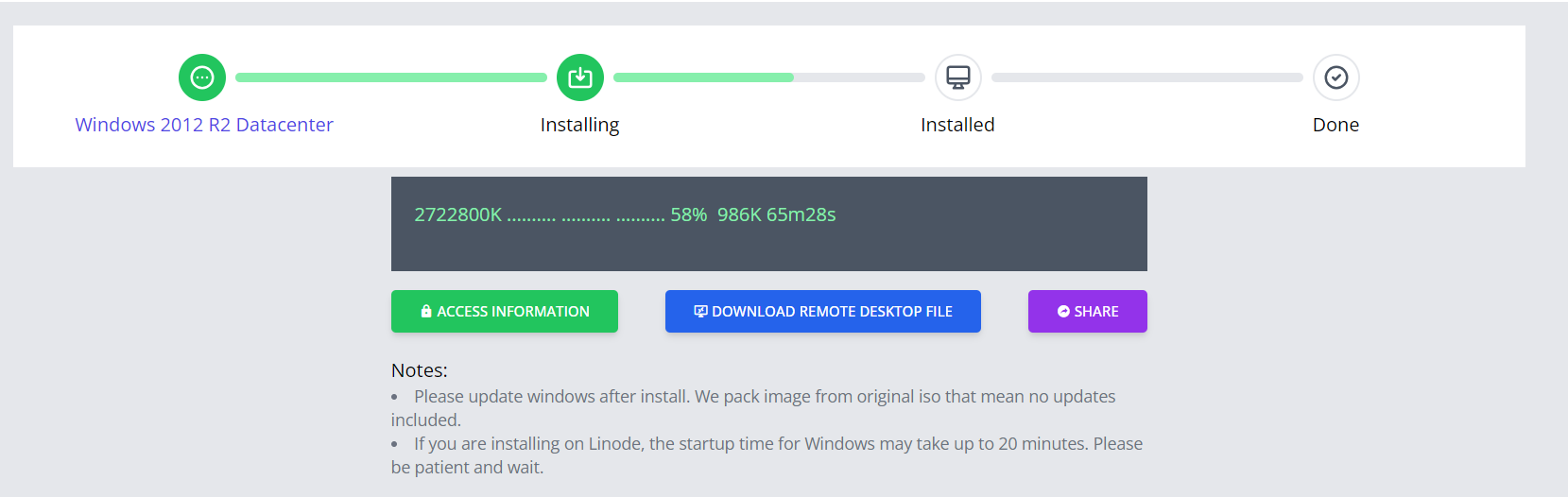
Now terminal will be disconnected, open tracking url on browser to see progress
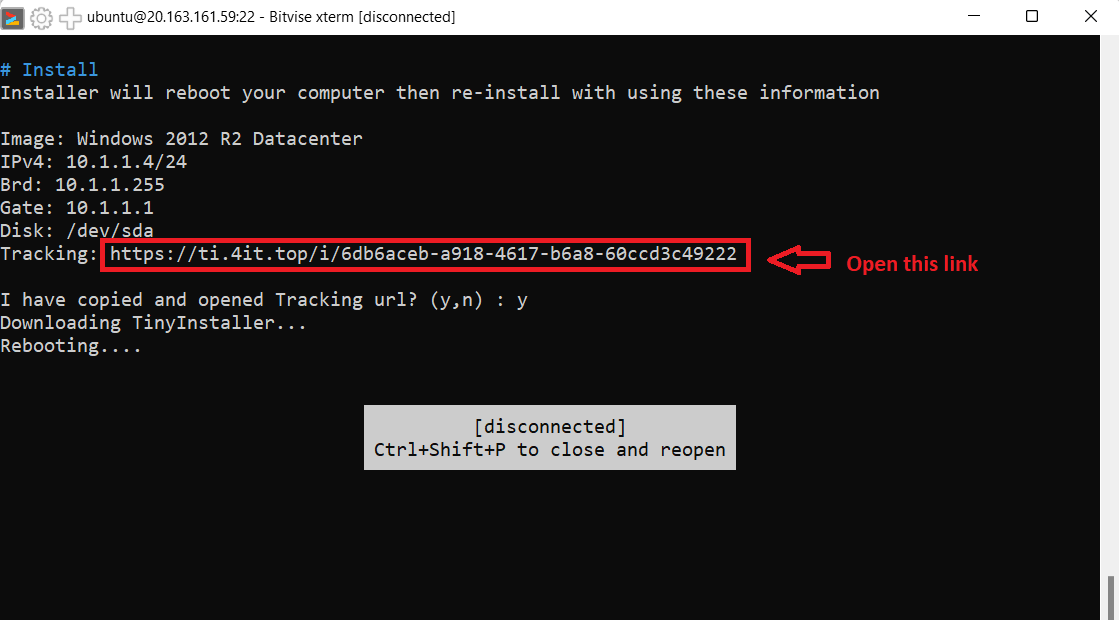
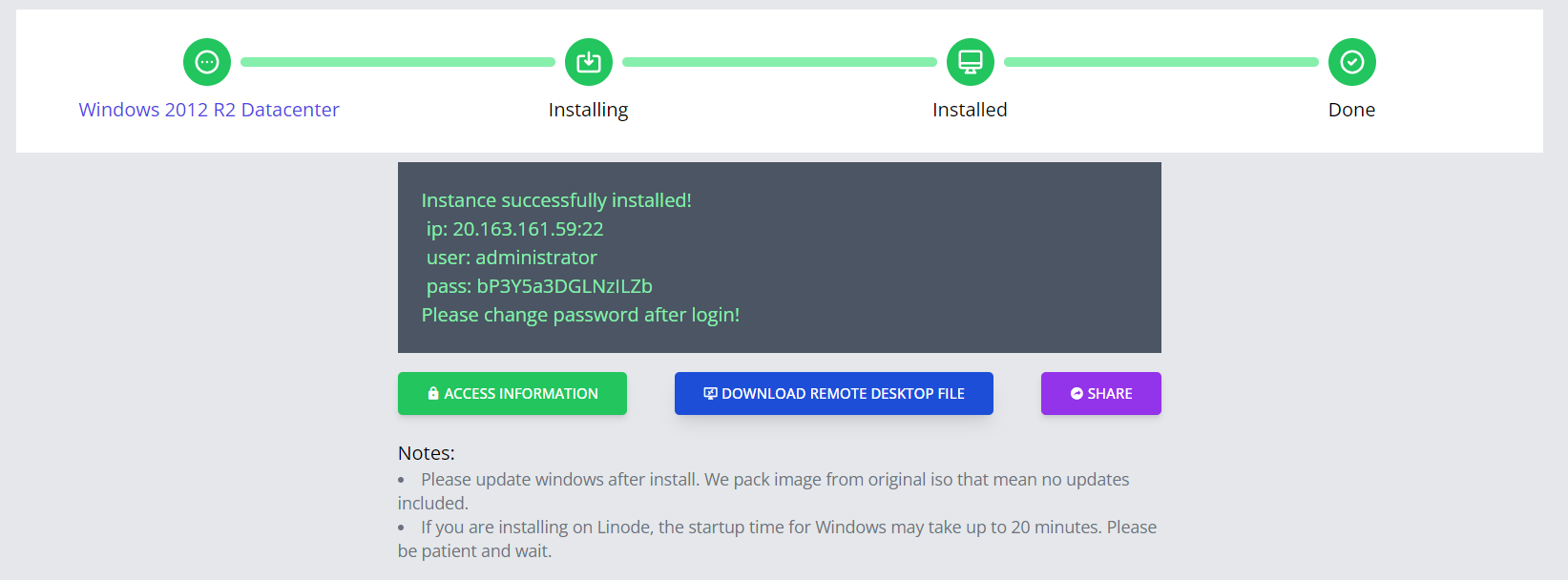
Wait until it done then you can access to RDP